Cakrawala Foundation
Shared direction · authorised access · cross-school reporting
A connected operating platform for schools
Bring academics, student records, HR, finance, operations, school services, and other modules into a platform that fits how your schools work and grows with your foundation.
One foundation. Every school. One platform.
Synthetic sample data
The SatuSkola framework
These seven principles shape SatuSkola: adapt to supported school needs, connect related work, and keep operations manageable as institutions grow.
Curriculum, custom fields, templates, formats, and supported settings can fit school needs.
Core records can be reused across related workspaces, subject to data relationships and permissions.
Product coverage spans learning, services, administration, and school operations.
Skola AI helps draft supported academic work while users retain final review.
The same platform can serve one or multiple schools with appropriate access scope.
Connected workspaces and context can reduce repeated entry and help teams focus on higher-value work.
Contextual workspaces put important actions within reach without requiring users to navigate the entire platform.
From foundation to classroom
Leaders can view information across schools within their authority. Each school retains its own users, data scope, settings, and responsibilities.
Shared direction · authorised access · cross-school reporting
Its own curriculum and settings
Its own users and data scope
Its own operations and responsibilities
One ecosystem
These examples show how data can be reused without repeated entry. They represent just some of the connections available across SatuSkola.
Access to portals and services follows each user’s relationship to the student and their permissions.
Curriculum, assignments, and school scope provide context for the classes, plans, lessons, and assessments available to each teacher.
Journal posting follows the configured accounts and payment process.
Each user sees only the schools and actions allowed by their permissions.
See the product in action
SatuSkola connects master records, daily activity, academic workflows, school services, and access control. The terms below reflect areas available in the application.
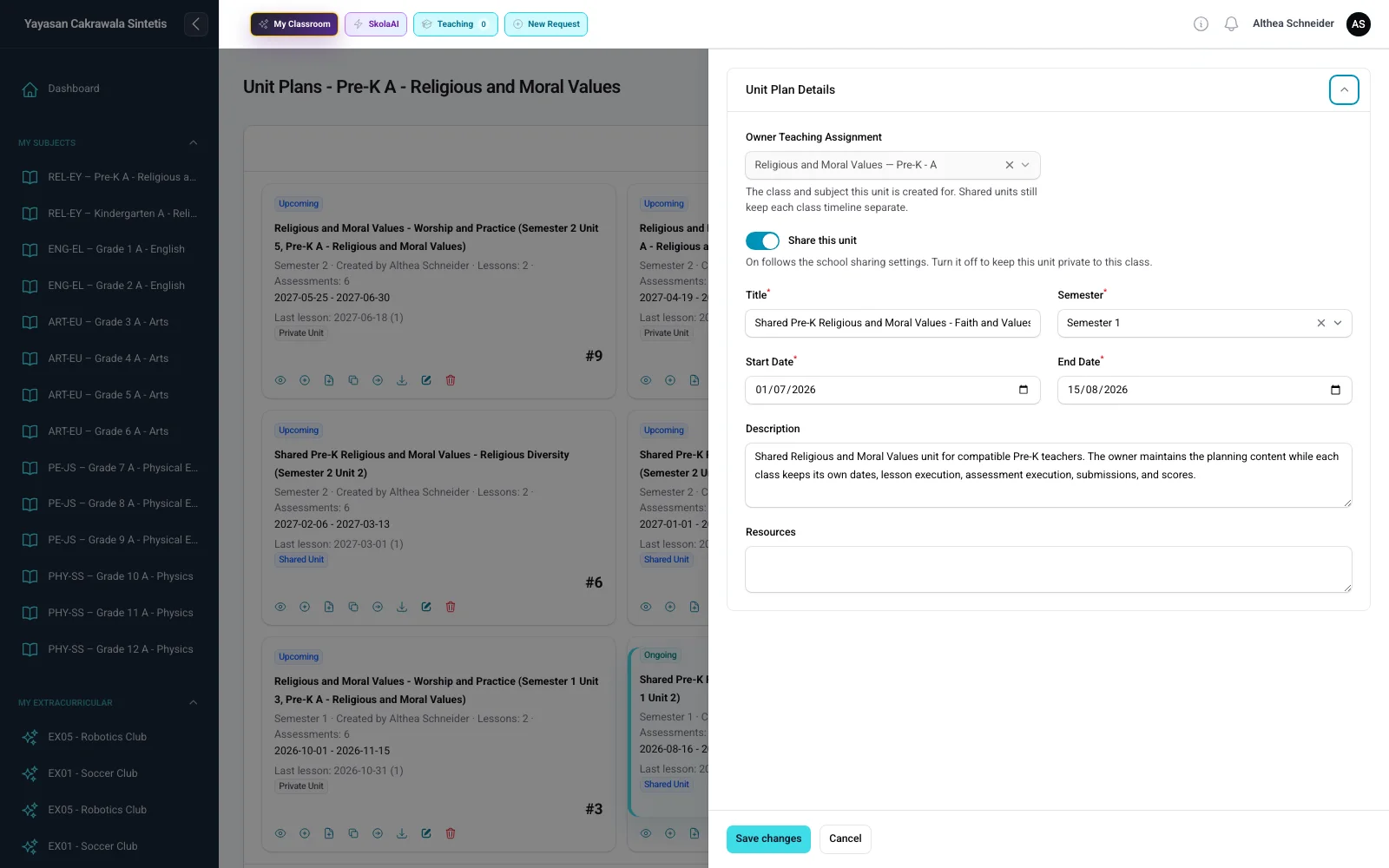
Planning & Curriculum Settings controls plan sharing and access. Subject Curricula connects the school’s selected curriculum to subjects, grades, Unit Plans, lessons, and assessments.
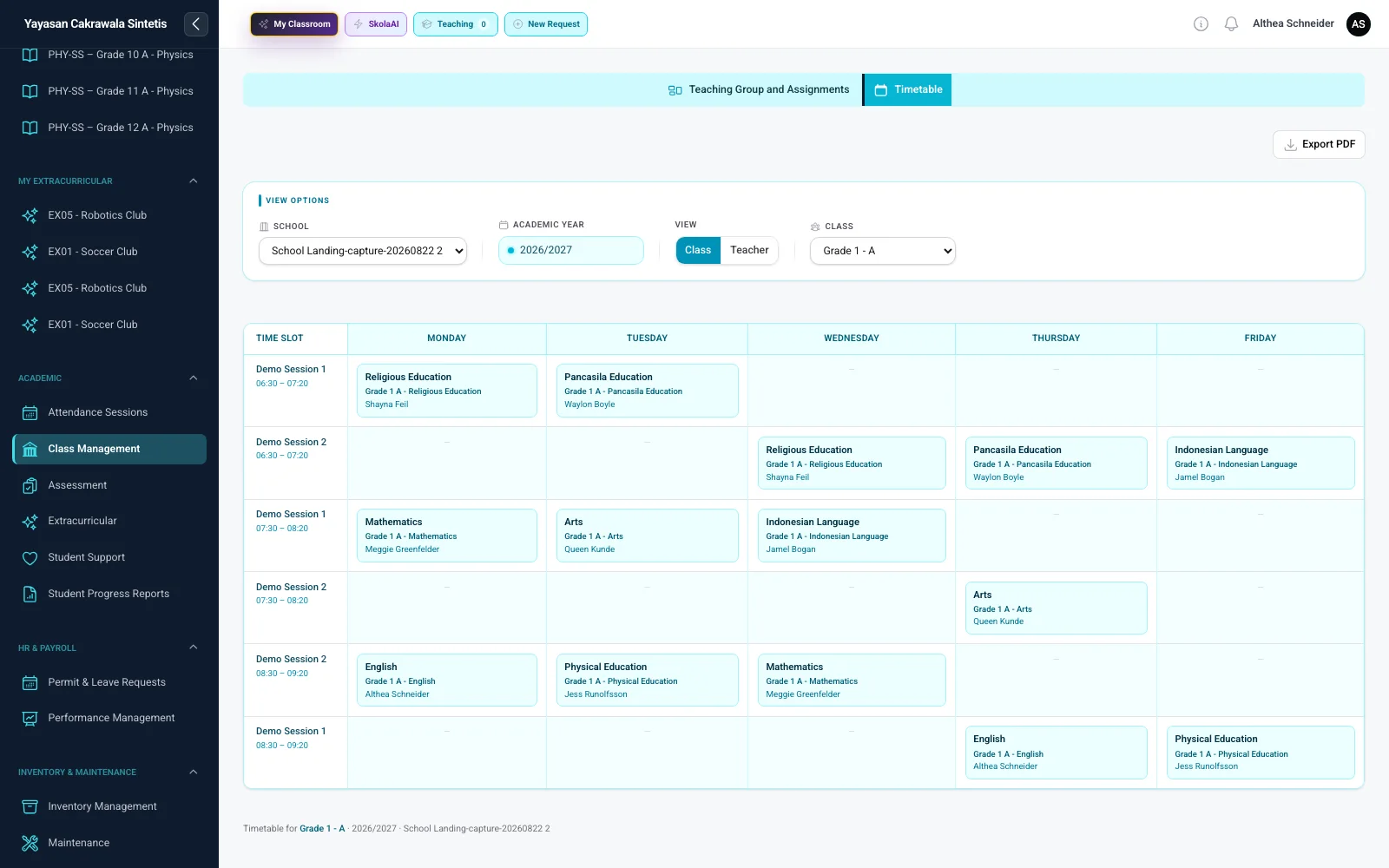
The timetable brings school days, sessions, classes, subjects, teaching groups, and teachers together in the active school context.
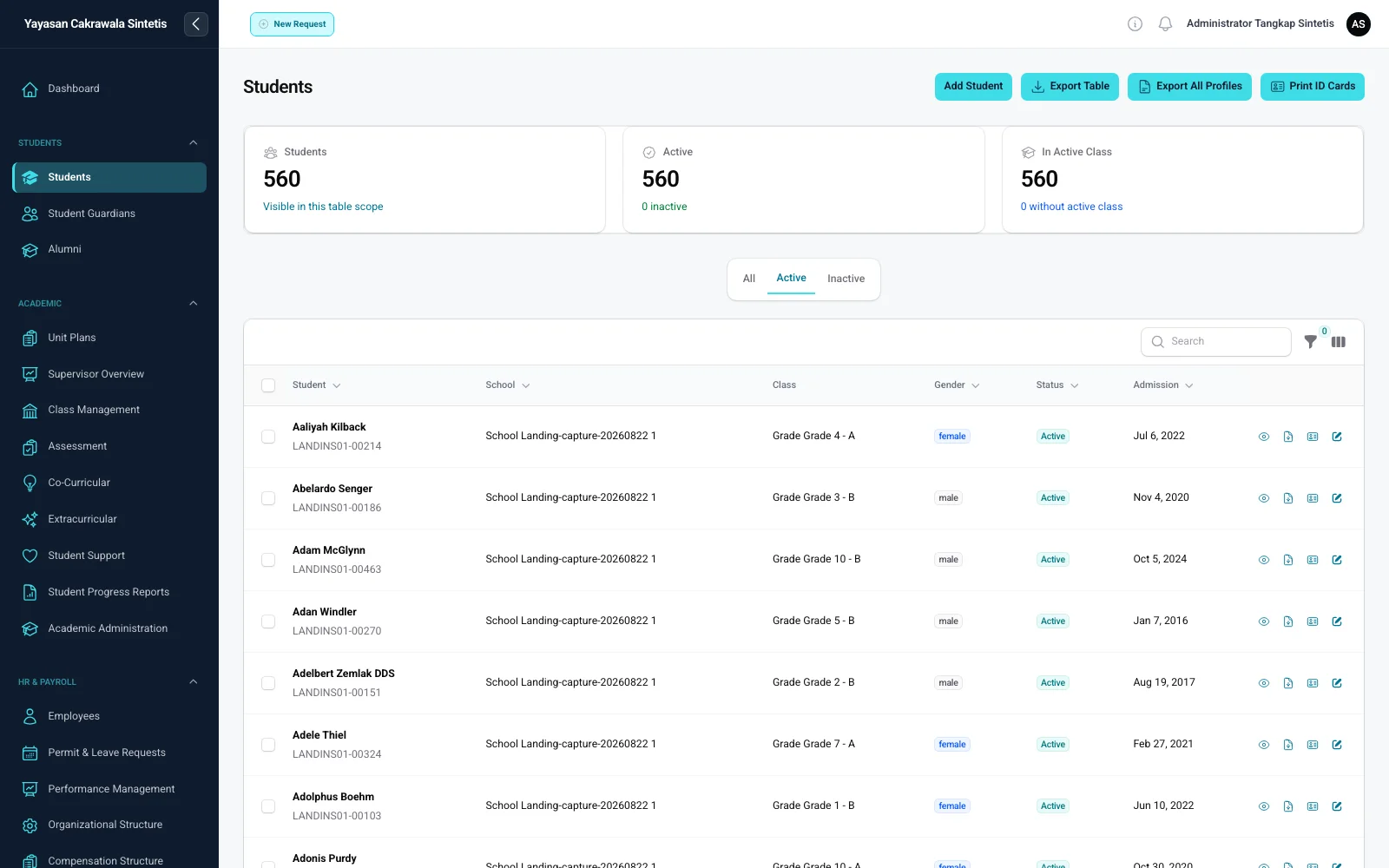
Active status, class, school, guardian relationships, documents, identity cards, and exports all refer to the same student record within user permissions.
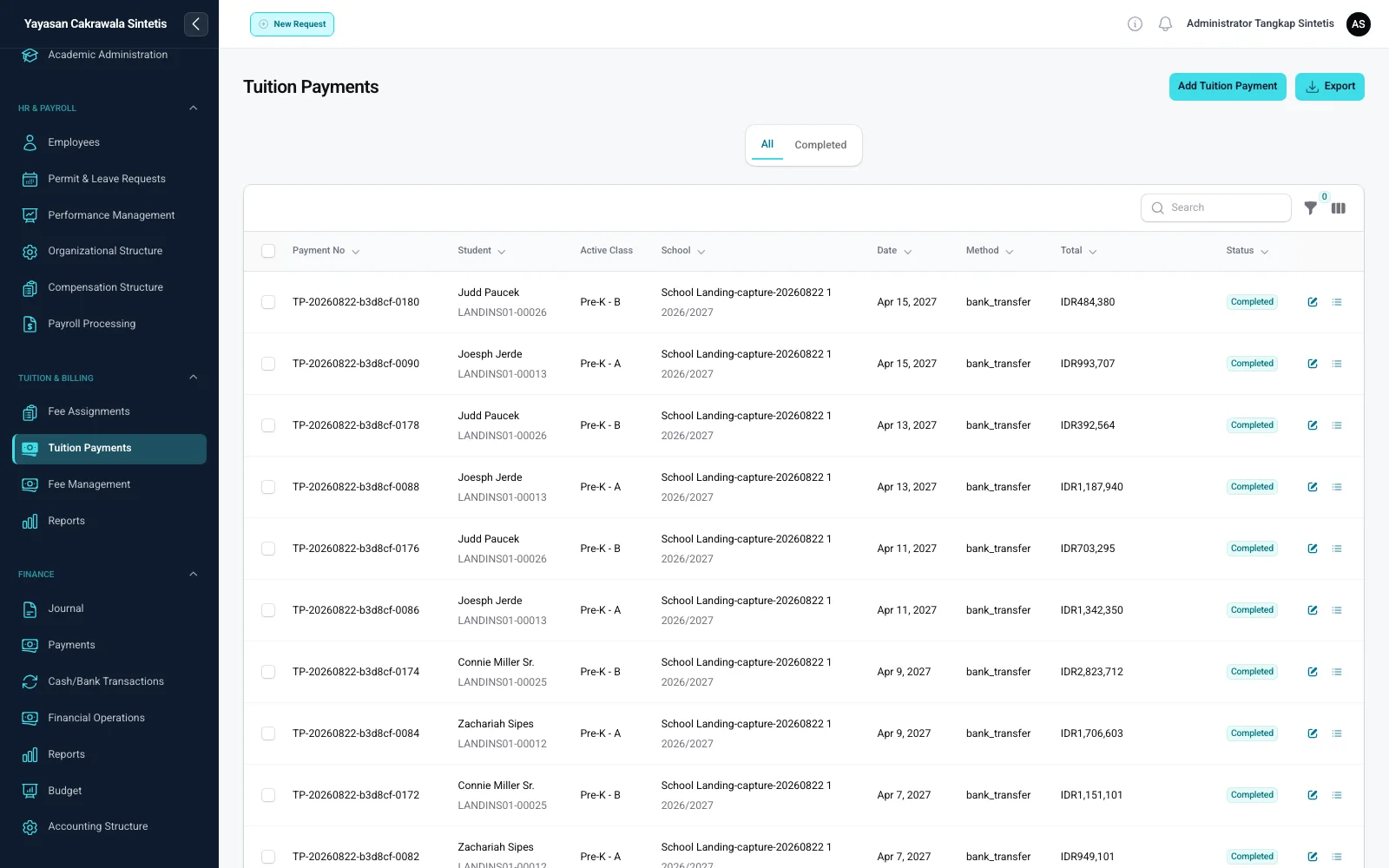
The payment register shows transaction number, student, active class, school, method, amount, and status. When configured, payments can flow into journal posting.
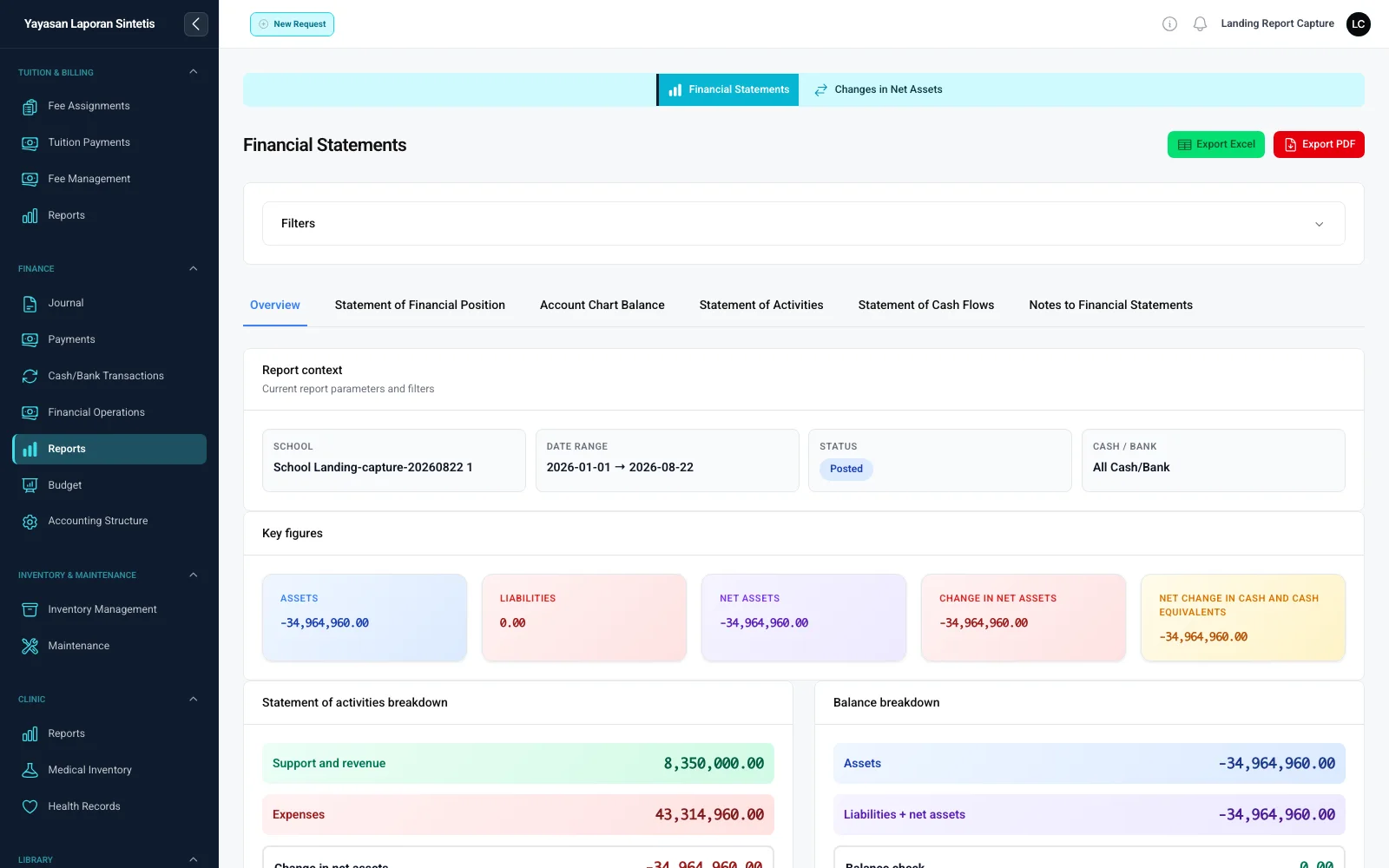
Financial position, activities, cash-flow, and net-asset reports use posted journals with school and period filters within the user’s authority.
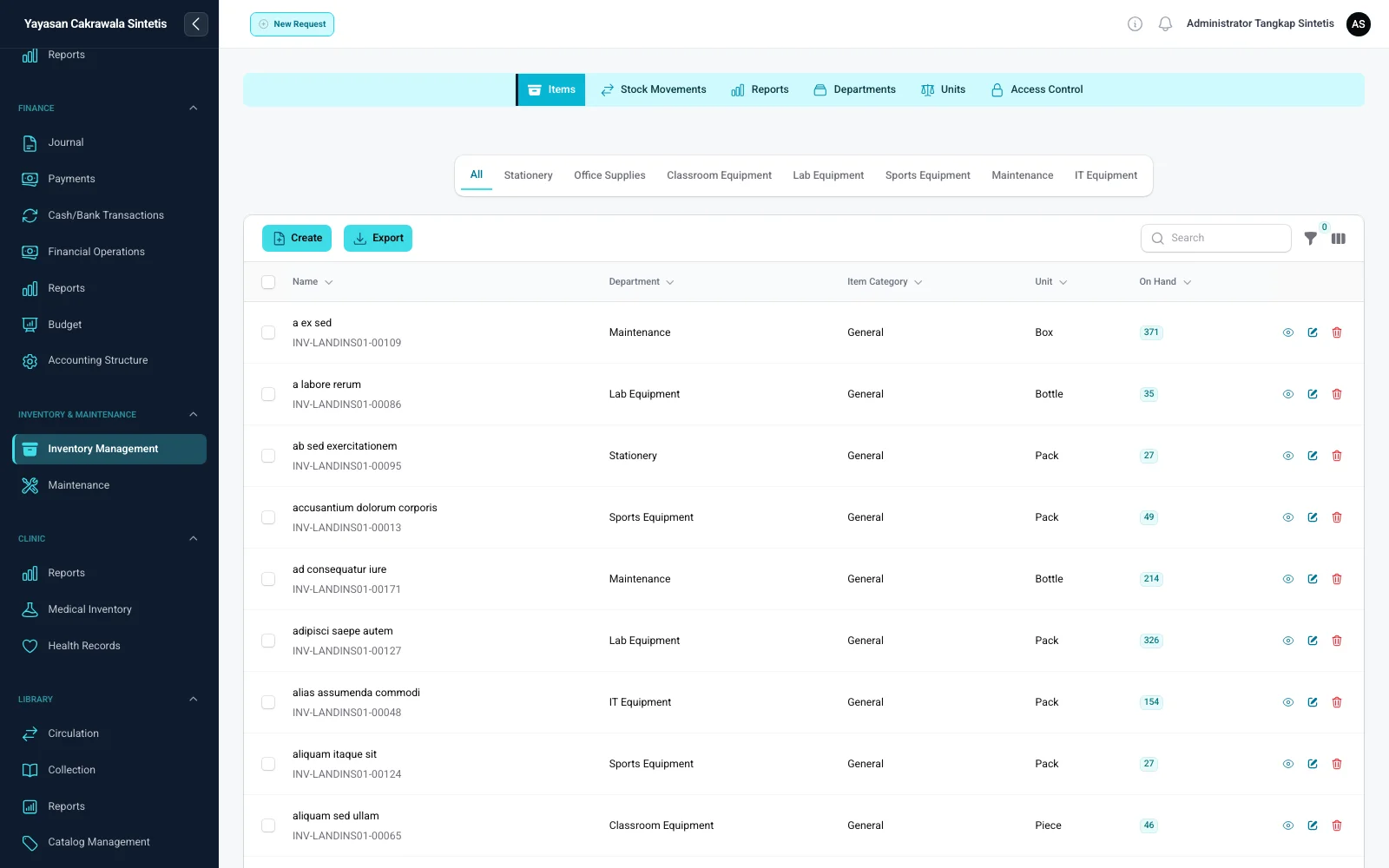
Items can be organised by department, category, and unit, with on-hand quantities derived from movement records.
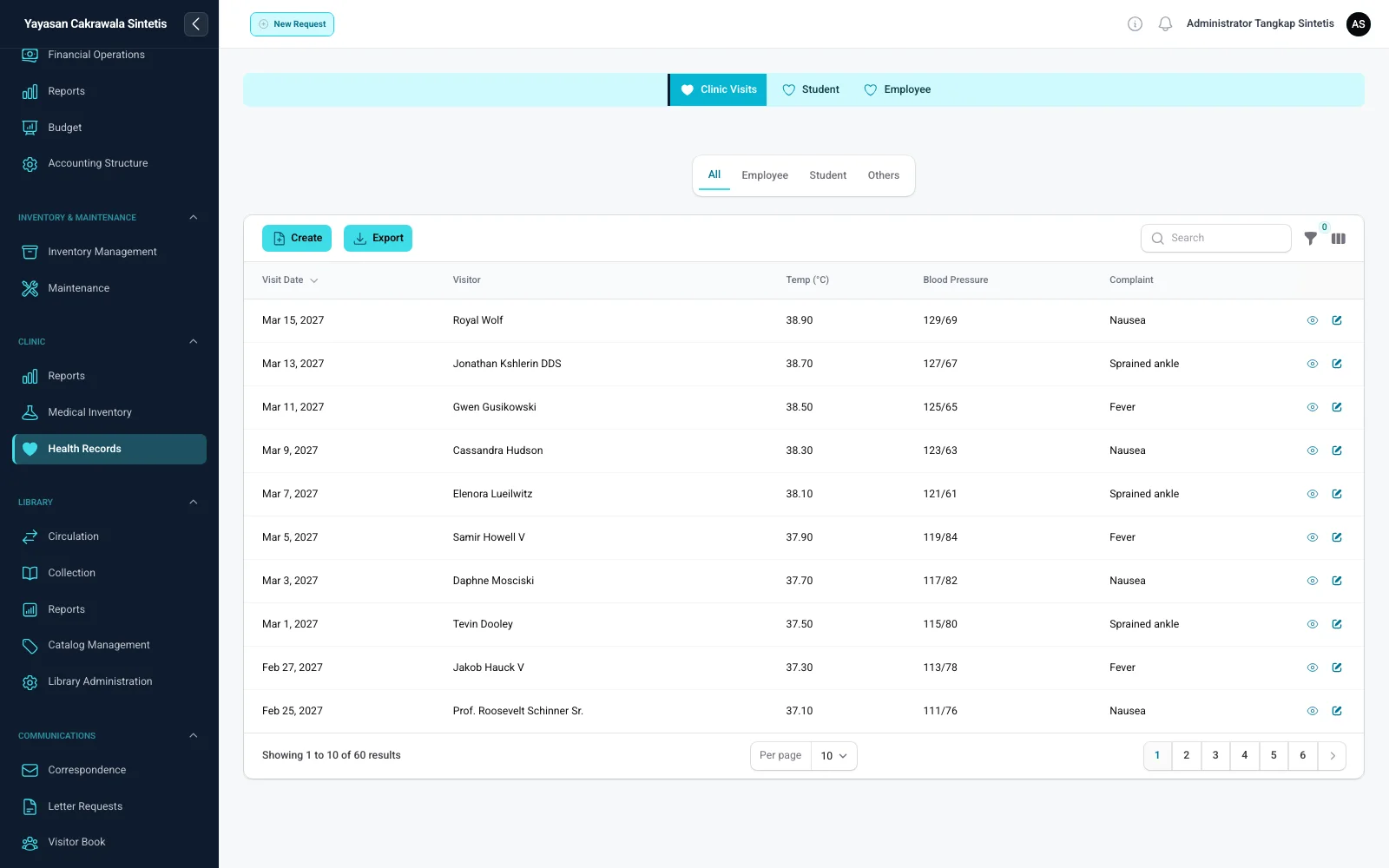
Visit history distinguishes students, employees, and others, with recorded times, complaints, and measurements.
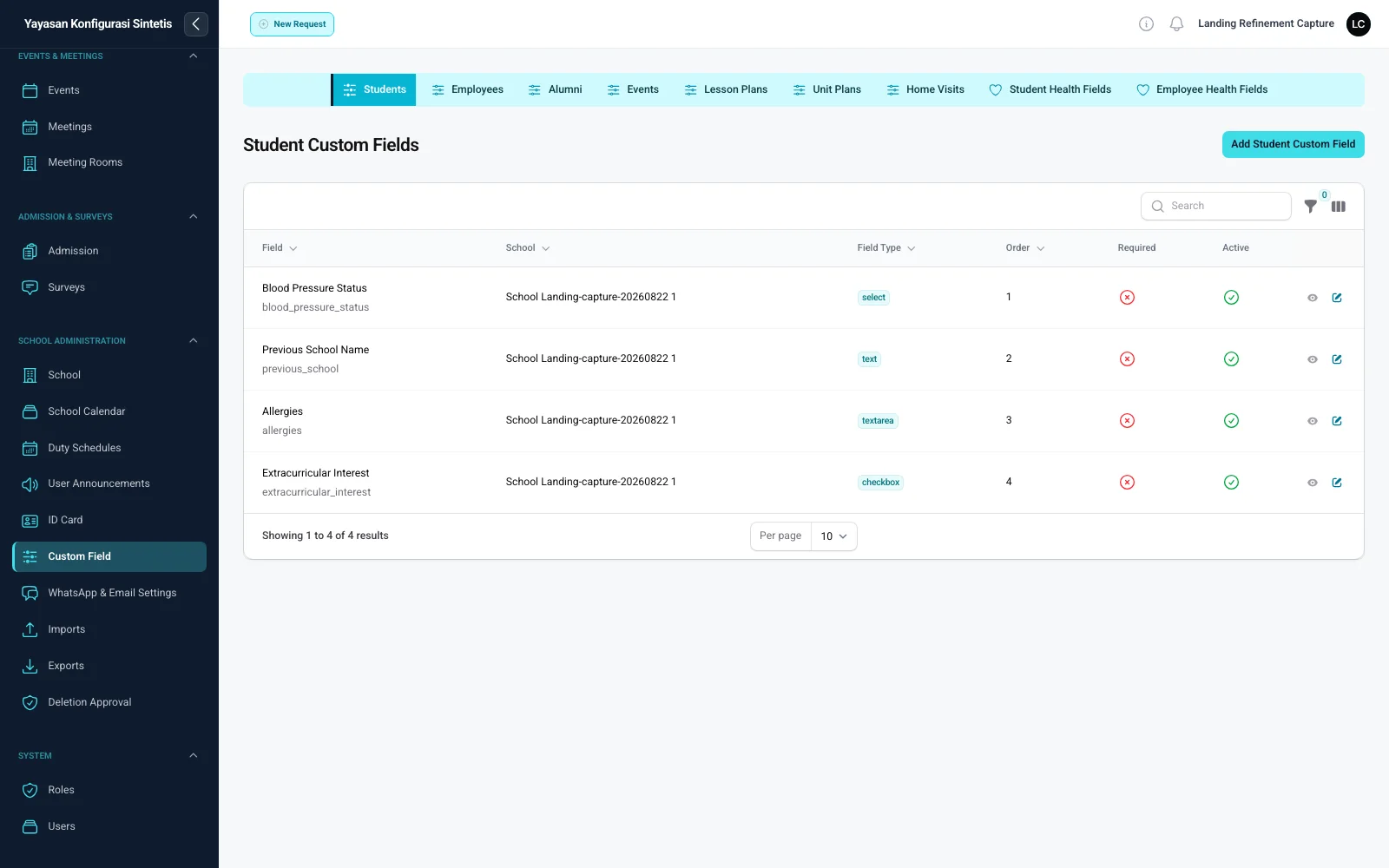
Custom fields can have a type, order, required state, active state, and school scope in supported parts of the application.
Every screenshot comes from a running SatuSkola application in a dedicated demo environment with synthetic data. Each image retains the full page and its navigation context.
My Classroom
Curriculum, schedules, plans, assessments, and follow-up come together in the teaching workflow, so teachers do not have to hunt through separate menus.
Complete does not have to mean complicated.The same connected context helps Skola AI prepare planning and assessment drafts for teacher review.
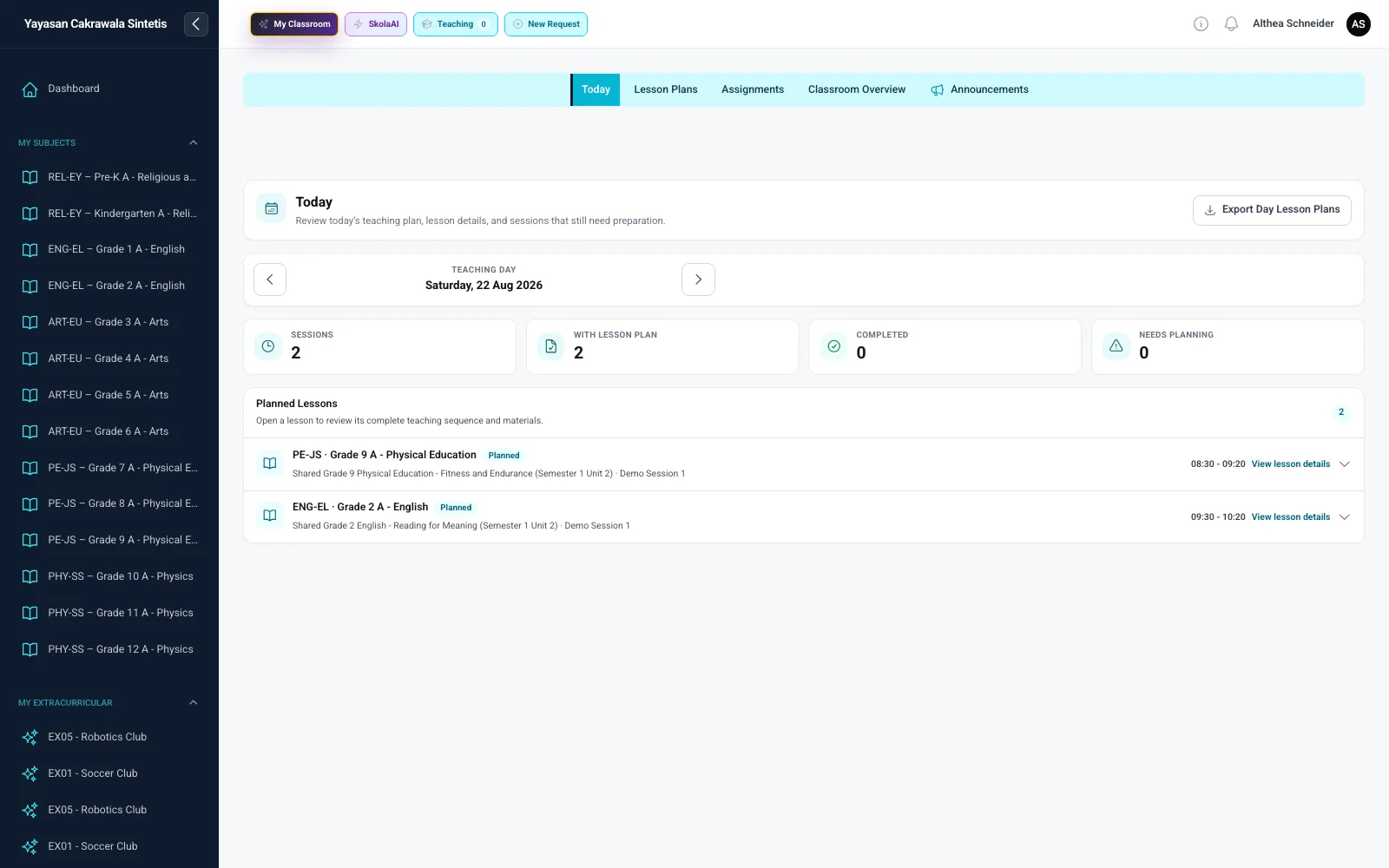
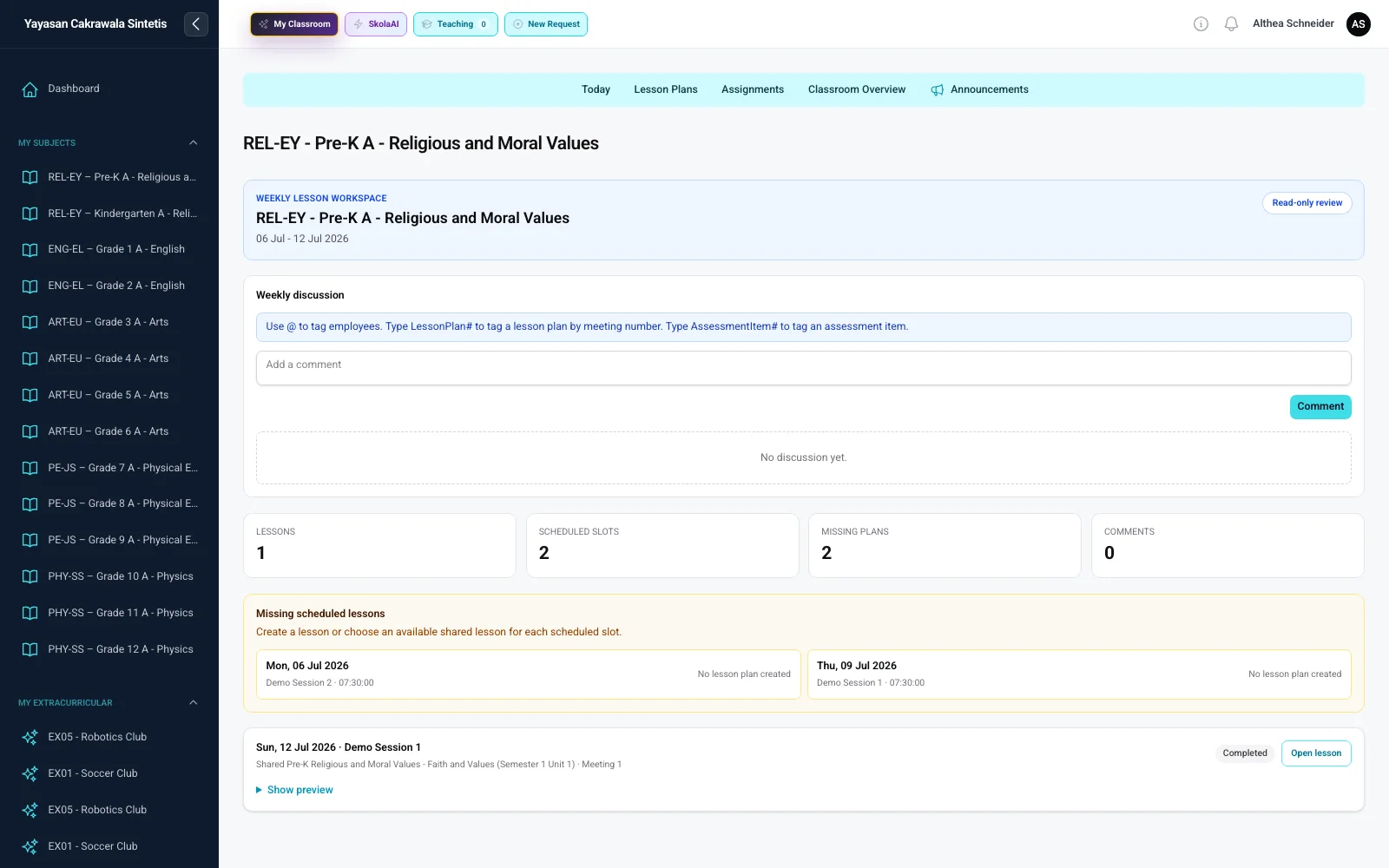
See sessions, available plans, completed work, and sessions that still need preparation.
Review plans by day and ensure every session has the context it needs.
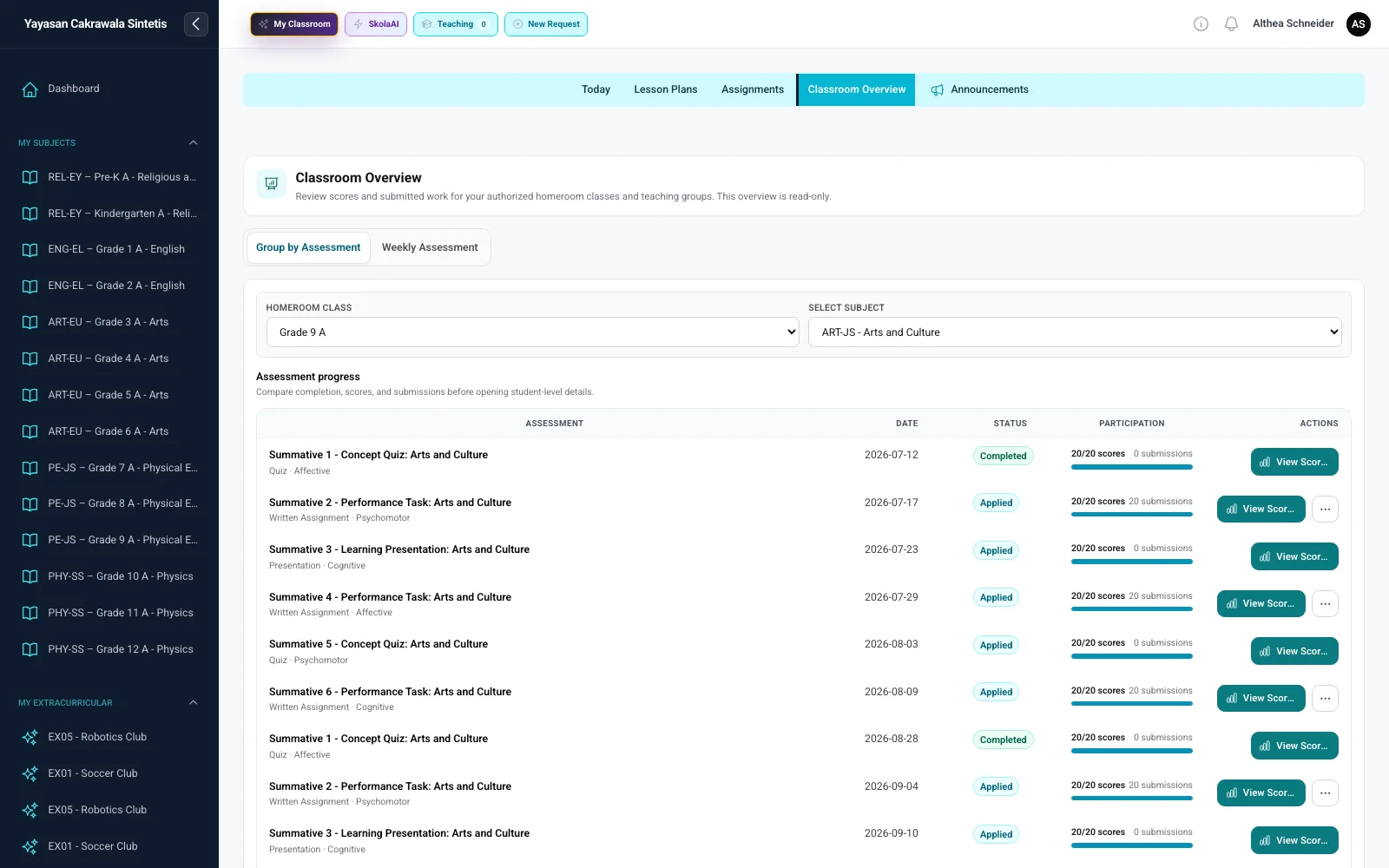
Read class assessment summaries and identify students who need follow-up.
Designed for every screen
SatuSkola adapts its layout for laptops, tablets, and phones. Important information and actions remain easy to use instead of simply shrinking the desktop interface.
Real application captures across four screen sizes and orientations
Summary, navigation, and lesson lists appear together so teachers can review the whole day.
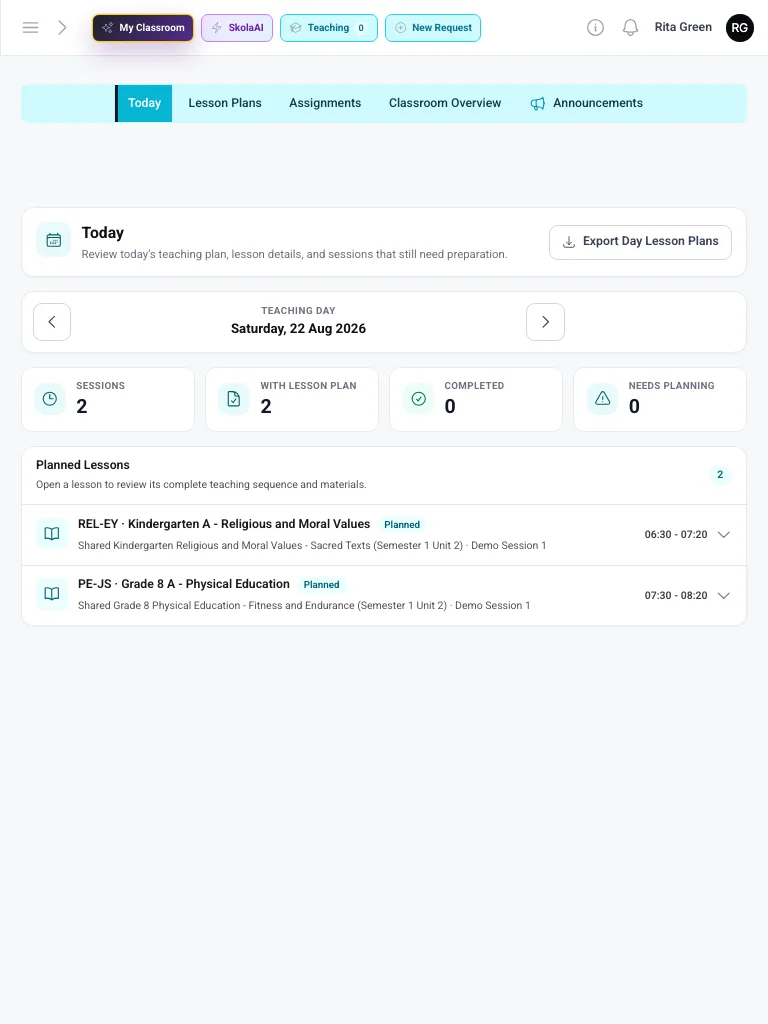
Lesson cards stack vertically with comfortable touch targets while preserving task context.
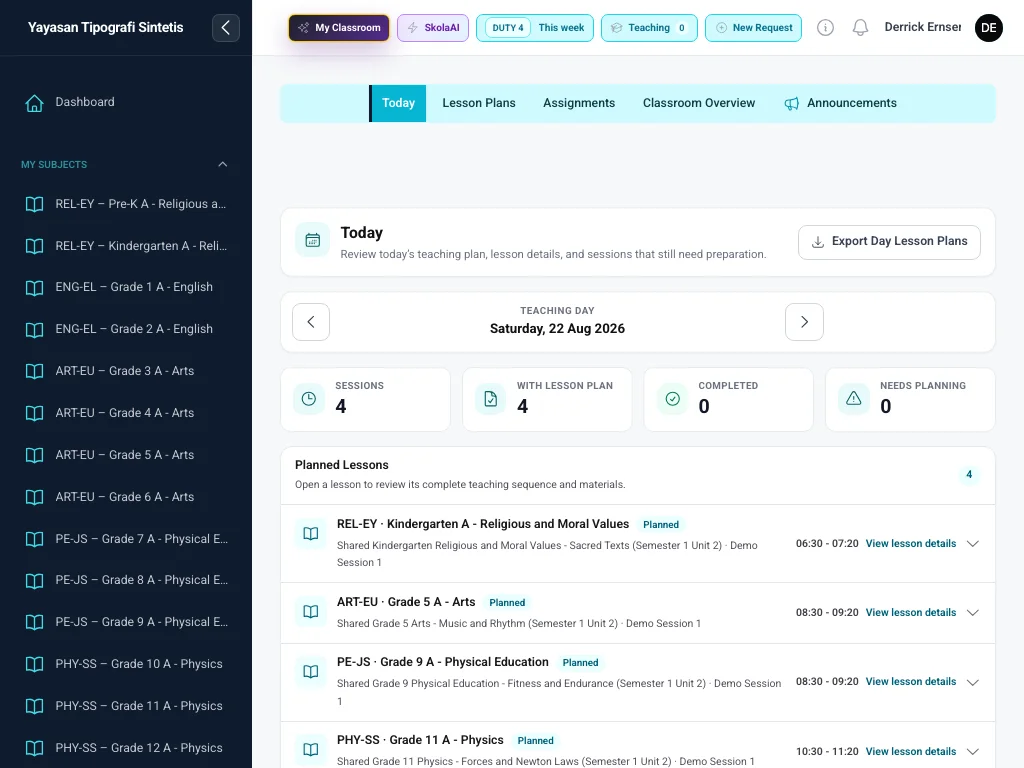
Navigation and content use the wider layout to show more information without crowding important actions.
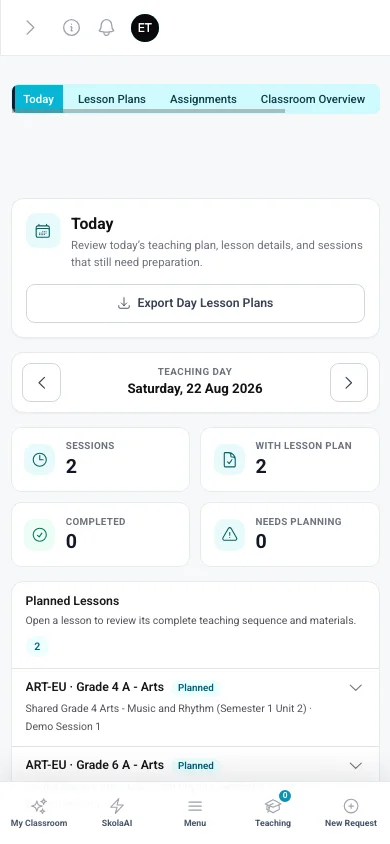
Sessions, planning status, and work needing preparation become easy-to-scan cards.
Skola AI
Skola AI is built directly into SatuSkola workflows. Each feature uses context relevant to the task—such as the school, curriculum, assignments, plans, lessons, schedules, rubrics, and user selections.
Primary showcase 01 · Lesson Plans
Teachers start with the relevant teaching assignment, subject, teaching group, selected week, Unit Plan, curriculum context, learning objectives, schedule slots, and additional instructions—not an empty conversation.
Select multiple lesson slots, then ask Skola AI to prepare several Lesson Plan drafts in one weekly request.
Generate → Review → Edit → Use The teacher reviews and edits every draft before use.Choose the assignment, week, Unit Plan, and multiple sessions from the actual timetable.
Generation runs through a queue with visible status and progress.
Results return to the weekly workspace and Unit Plan relationship for review.
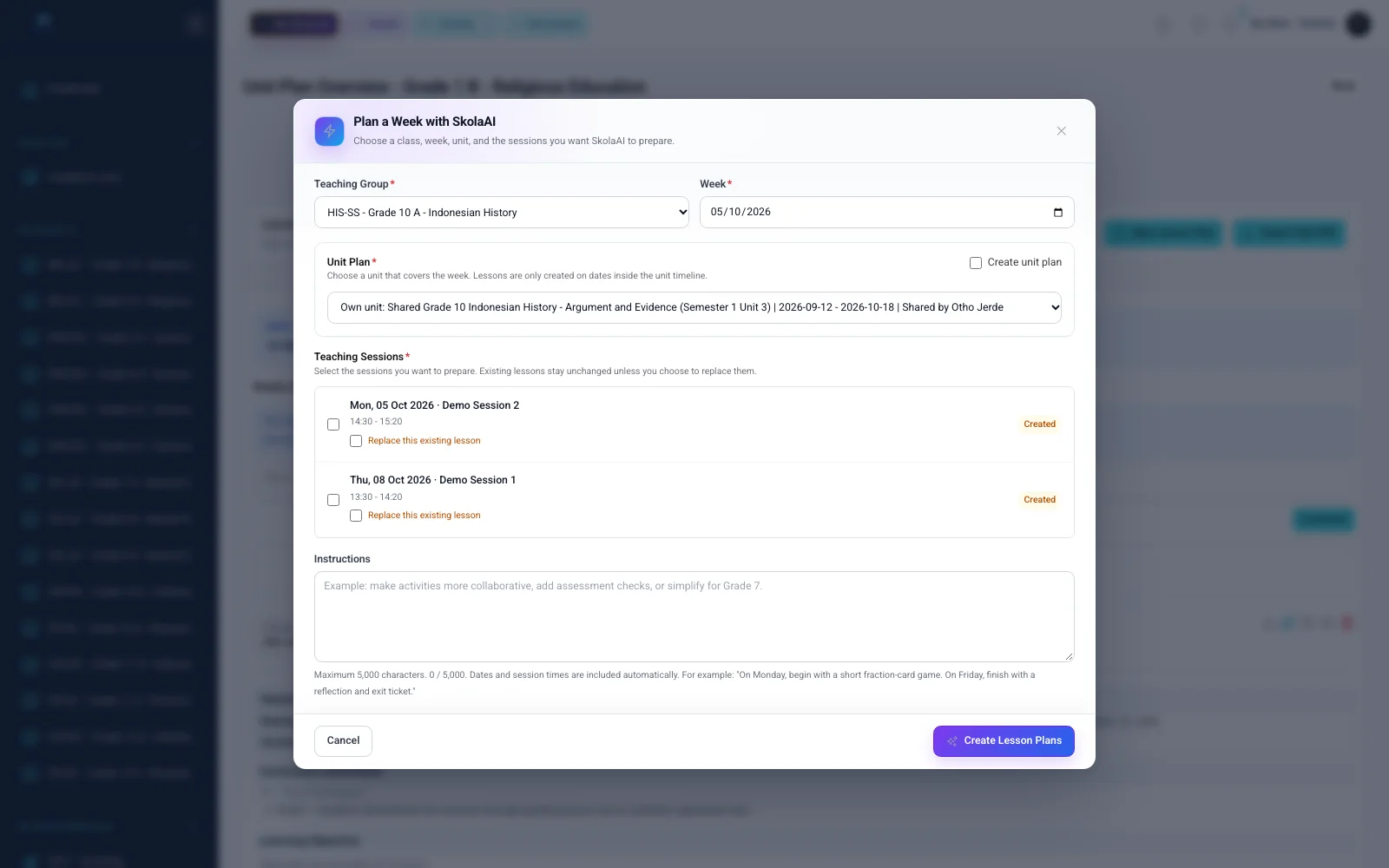
Assignment, week, Unit Plan, selected sessions, and additional instruction remain visible before generation starts.
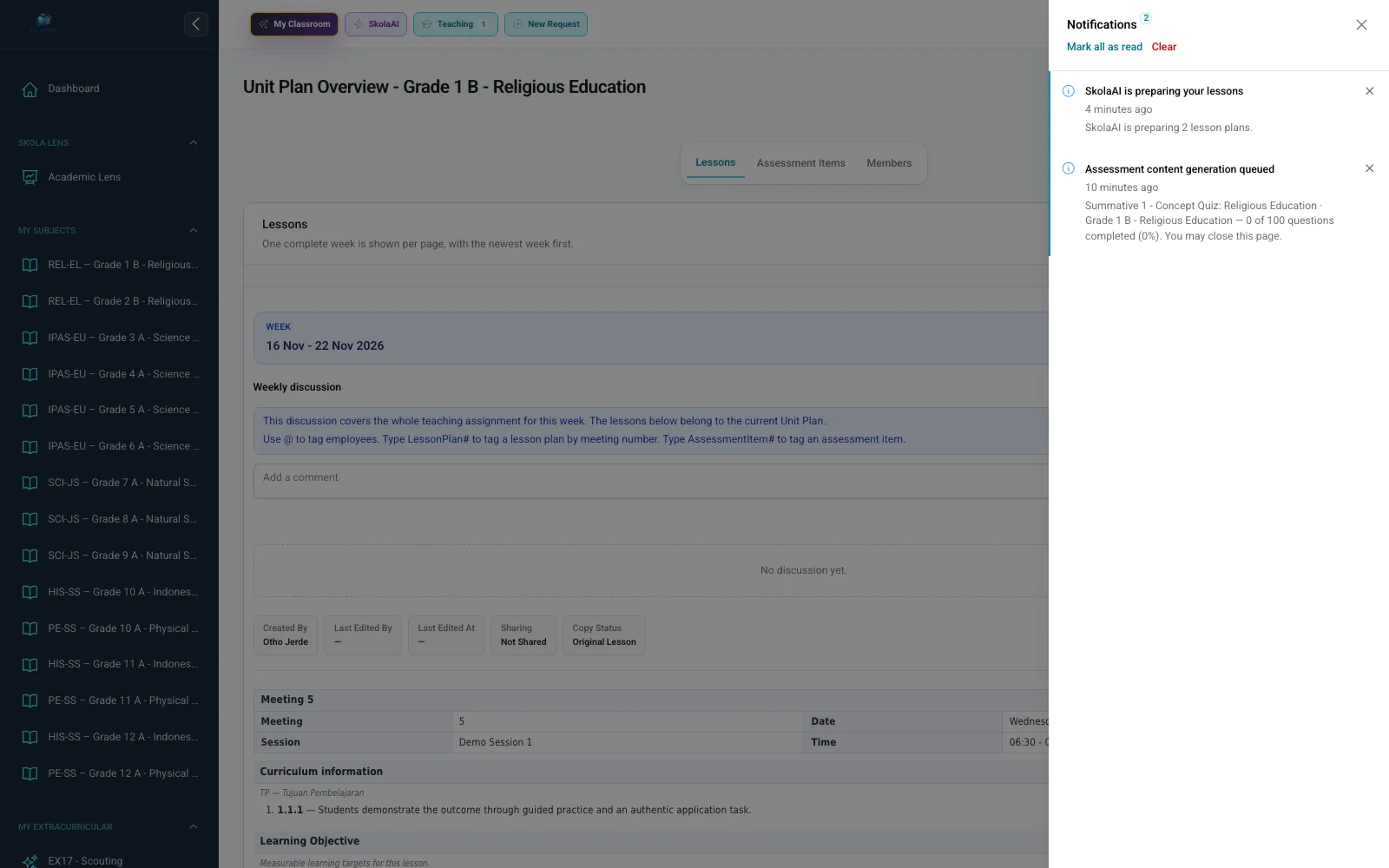
Queue status and progress show the plans currently being generated.
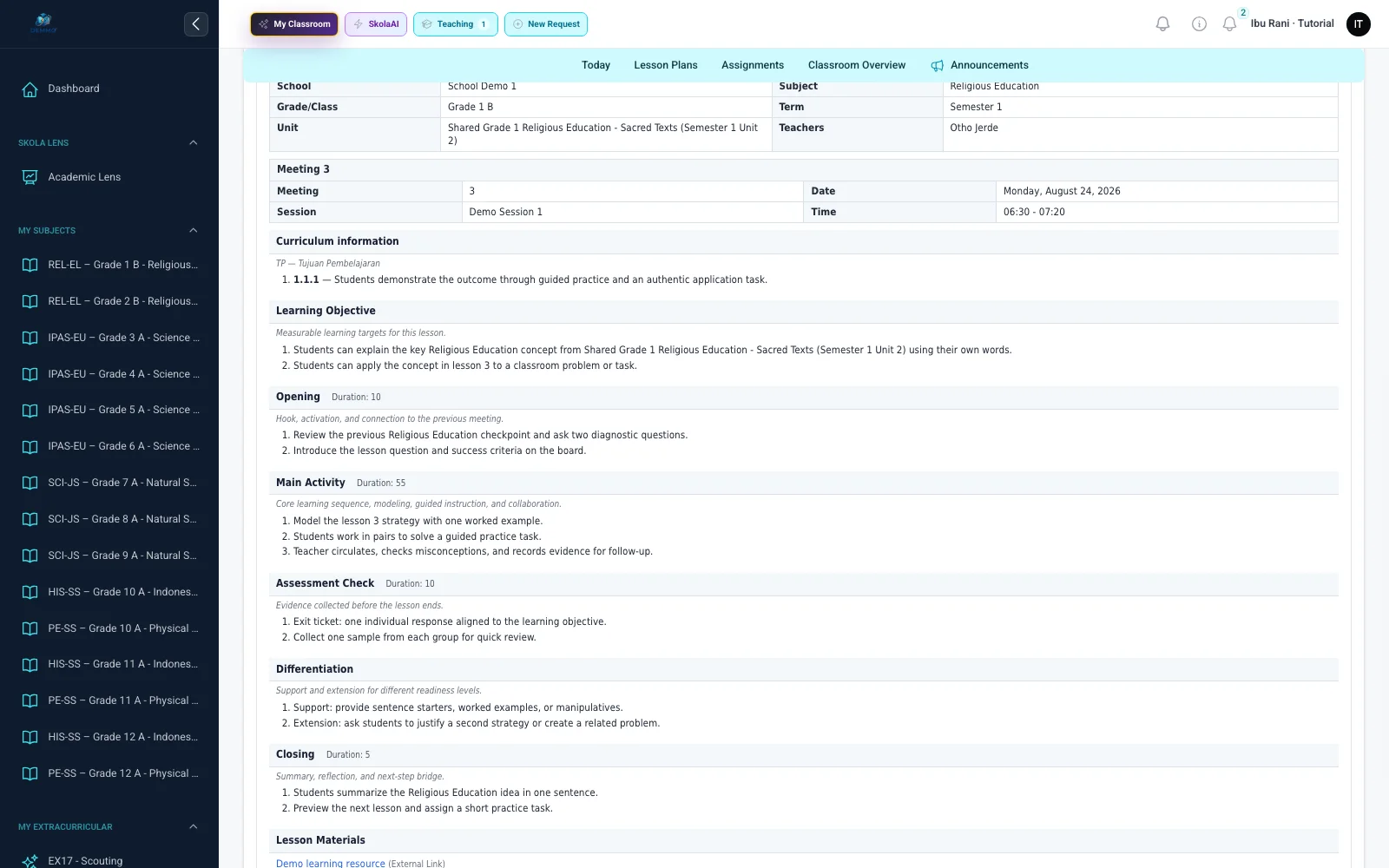
Objectives, activities, instructional sequence, duration, materials, and curriculum relationships remain open for review and editing.
Primary showcase 02 · Assessment Content
The Assessment Content Builder brings together selected Lessons, task type and format, question types and counts, points per question, Challenge Level, language, duration, rubrics, and supported teacher instructions.
Generate up to 100 assessment questions in one request.Large requests are split into queued jobs. Completion time varies with question types, content complexity, processing capacity, provider response, validation, and retries.
Draft questions, options, correct answers, order, and points remain editable. The active worksheet changes only after the teacher reviews and approves the draft.Set lesson coverage and structured assessment settings.
Track completed questions against the requested total.
Edit questions and answers before approving changes to the active worksheet.
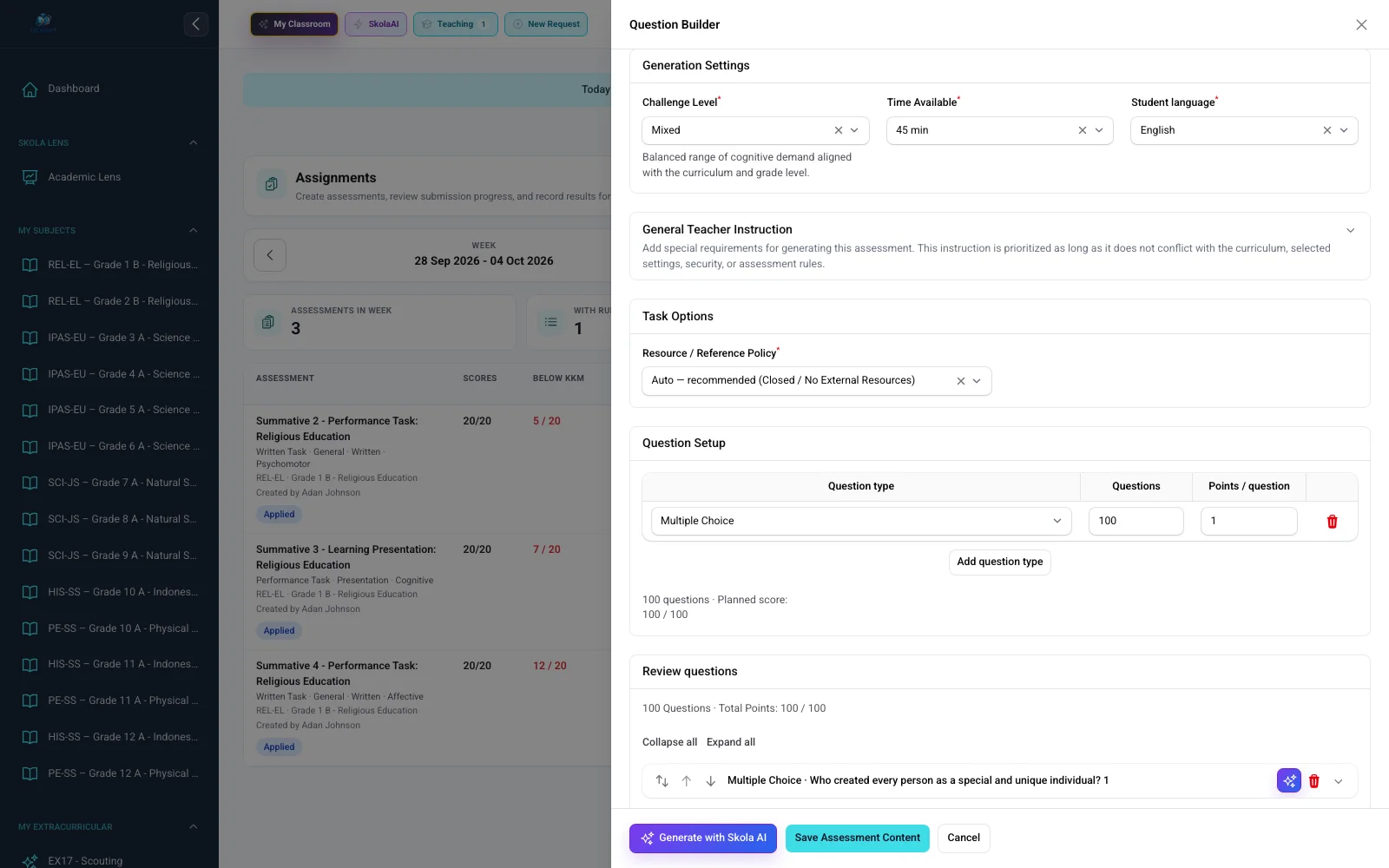
Lessons Covered, task classification, Challenge Level, language, duration, question types, question counts, and points per question are available in one settings view.
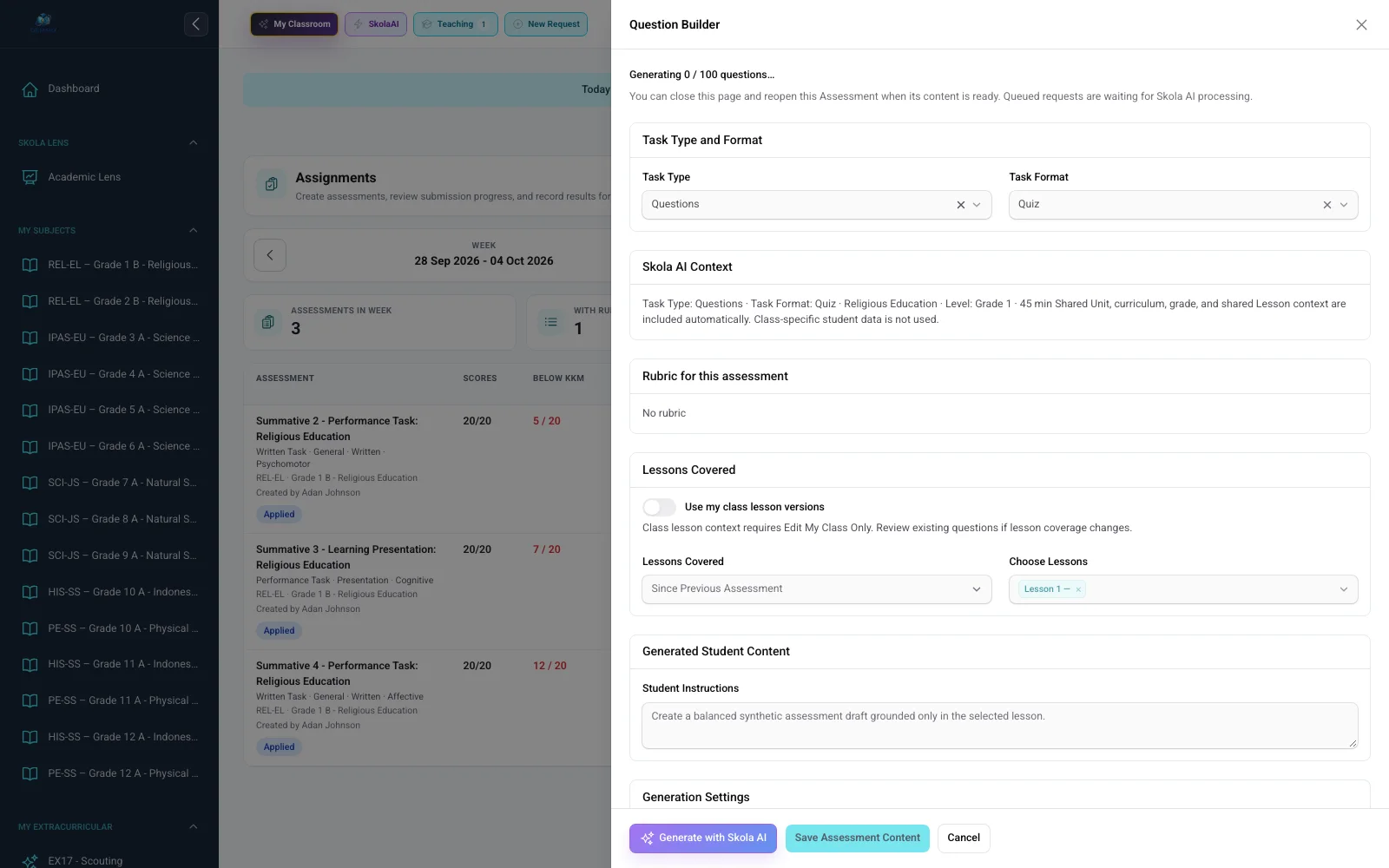
Generation status shows completed questions and the requested total while queued work is running.
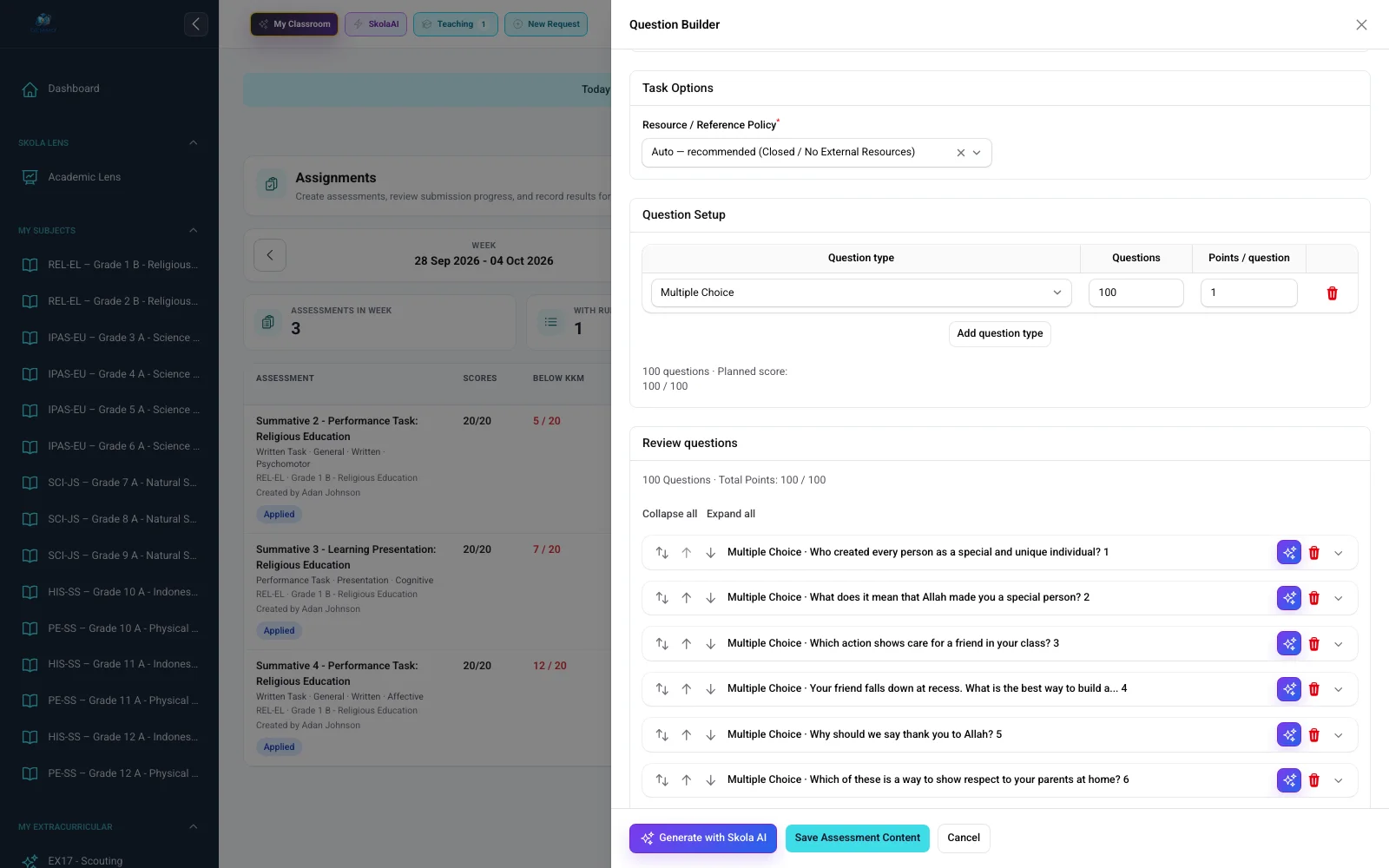
Questions, options, correct answers, explanations, order, and points can be checked before saving or approval.
Supporting capabilities
Other capabilities remain grounded in the source, configuration, and approval flow for each task.
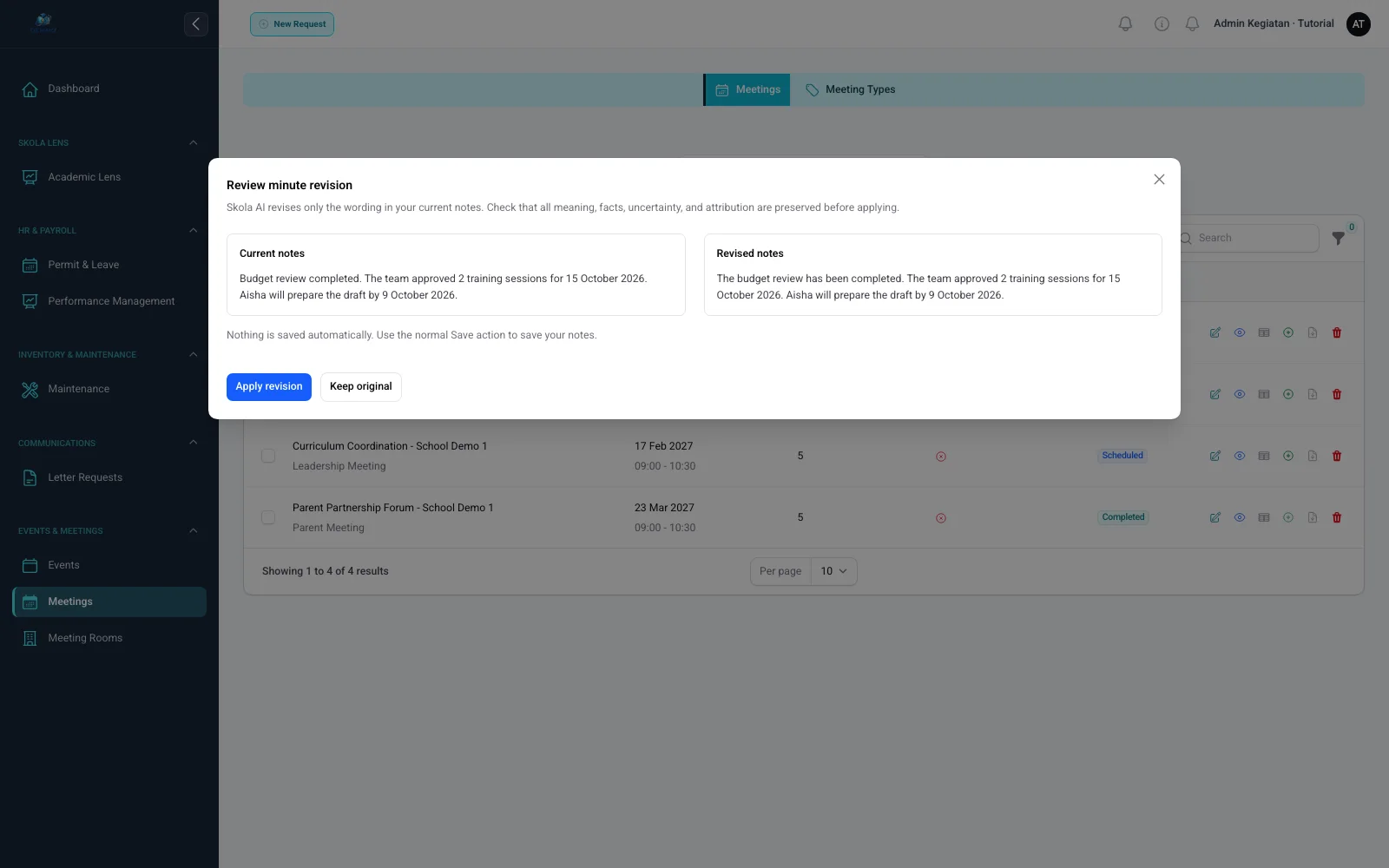
Skola AI improves wording with the existing notes as the factual source. Users still review before saving; it does not invent decisions, participants, or action items absent from the source.
Rough notes → Skola AI → Minutes for review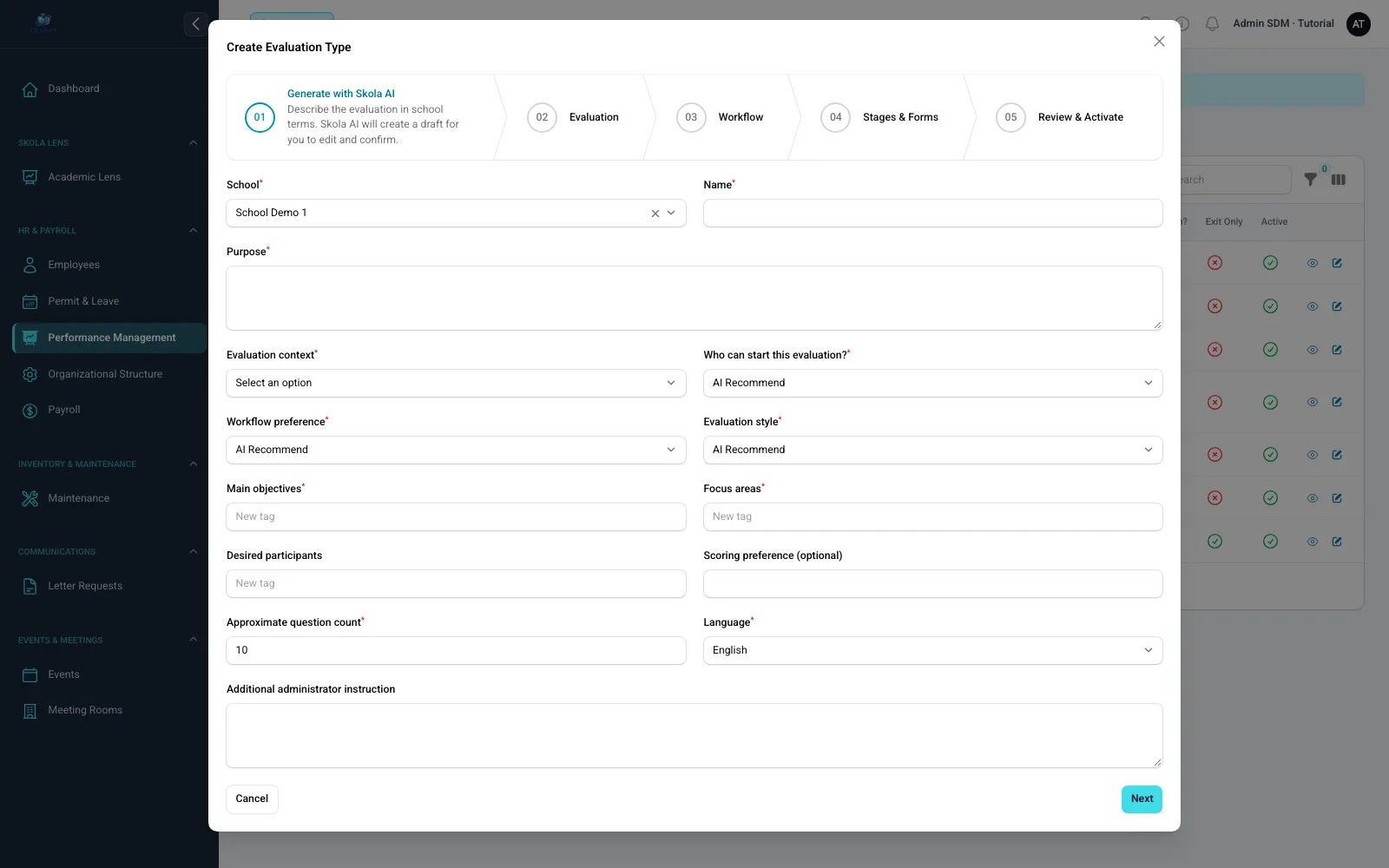
An administrator defines the purpose, evaluation audience, focus, participants, workflow, style, scoring, question count, language, and instructions. Skola AI returns an editable configuration for the standard Manage Evaluations workflow.
Evaluation → Workflow → Stages → Forms → Questions → Review → ActivateSkola AI helps design the structure. Evaluation decisions remain the user’s responsibility.Prepare draft criteria and performance levels for review.
Create or revise Narrative Reports for review before saving.
Suggest curriculum components and learning objectives within supported context.
An adaptable operating platform
Every school has its own structure, data, roles, documents, and ways of working. SatuSkola provides configuration where supported instead of forcing every school into one rigid process.
Adaptive · Curriculum
SatuSkola does not lock a school into one curriculum. Planning & Curriculum Settings brings sharing, access, and curriculum rules together. Subject Curricula applies the selected catalogue across subjects and grades, including bulk configuration and supported overrides.
Set Unit Plan and Lesson Plan sharing modes, default access levels, and role overrides in Planning & Curriculum Settings.
Use Subject Curricula to assign curricula across subjects and grades, keeping overrides only where needed.
Use curriculum context directly in Unit Plans, Lesson Plans, teaching, and assessments instead of leaving it in a separate document.
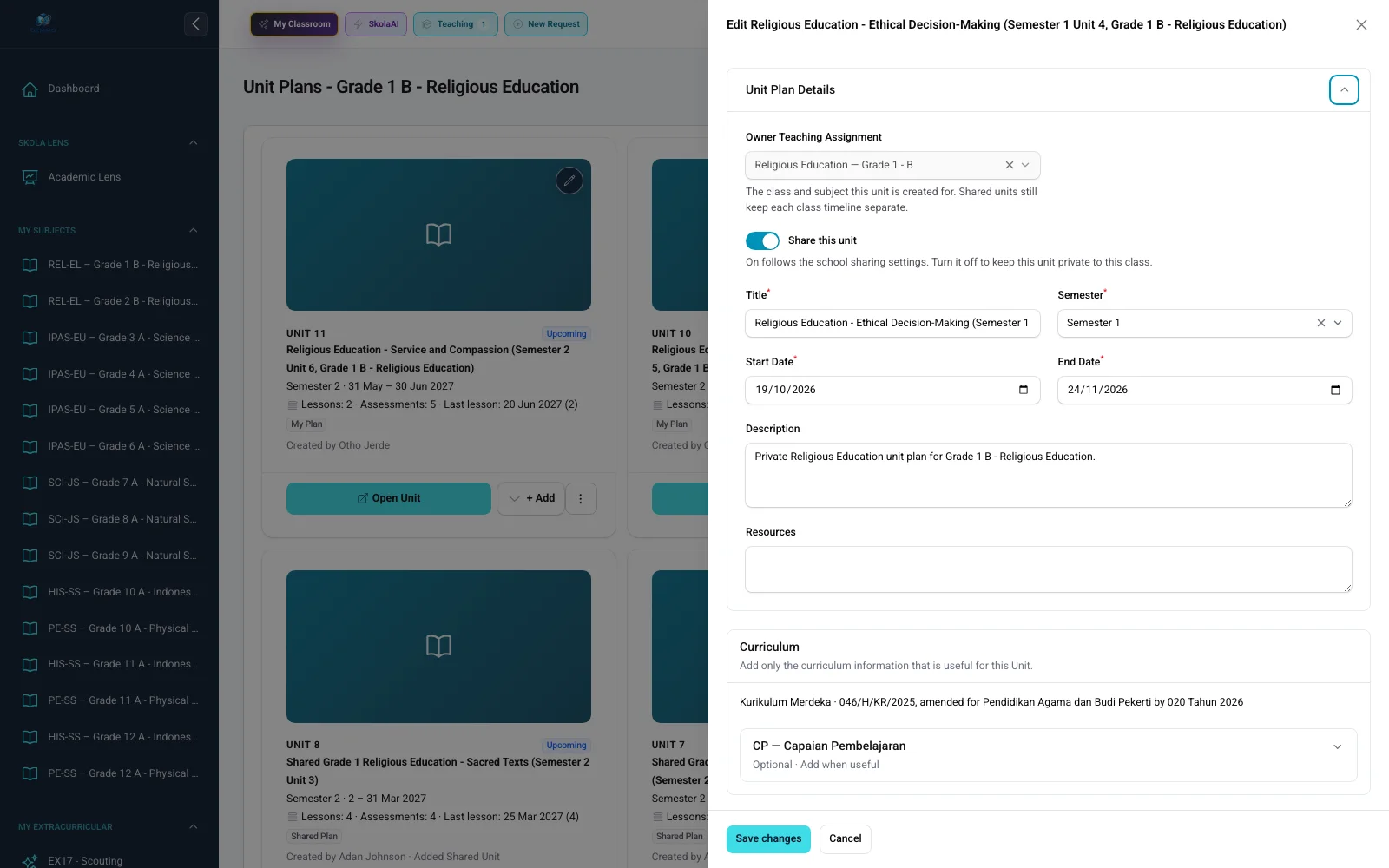
This real product capture shows school curriculum information already connected with a Unit Plan, lessons, and assessment using synthetic sample data.
Add institution-specific fields in supported areas including students, employees, planning, health, alumni, events, and home visits.
Combine workspaces, record ownership, actions, and school scope to match organisational responsibilities.
Supported records can require approval, enter the Recycle Bin, be restored with dependencies, or be purged after retention and impact checks.
Configure supported outputs such as report-card formats, planning templates, correspondence numbering, identity cards, and payslips.
Move data through supported formats and control who can view or manage each area.
Each school can retain its own users, settings, academic structures, and data scope.
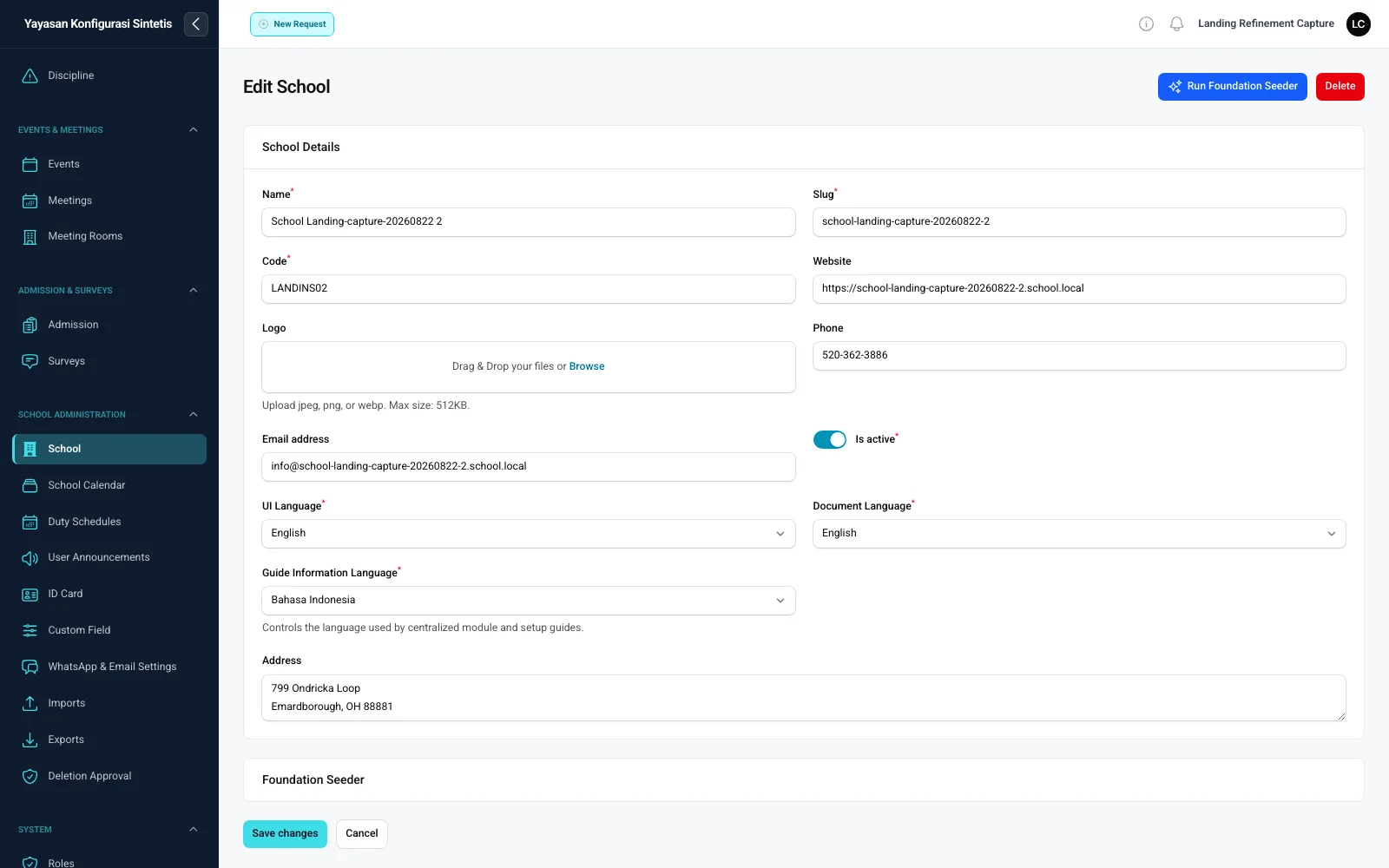
Names, codes, languages, time zones, branding, documents, and baseline settings can follow each school unit.
Administrators can define labels, field types, order, required state, active state, and school scope.
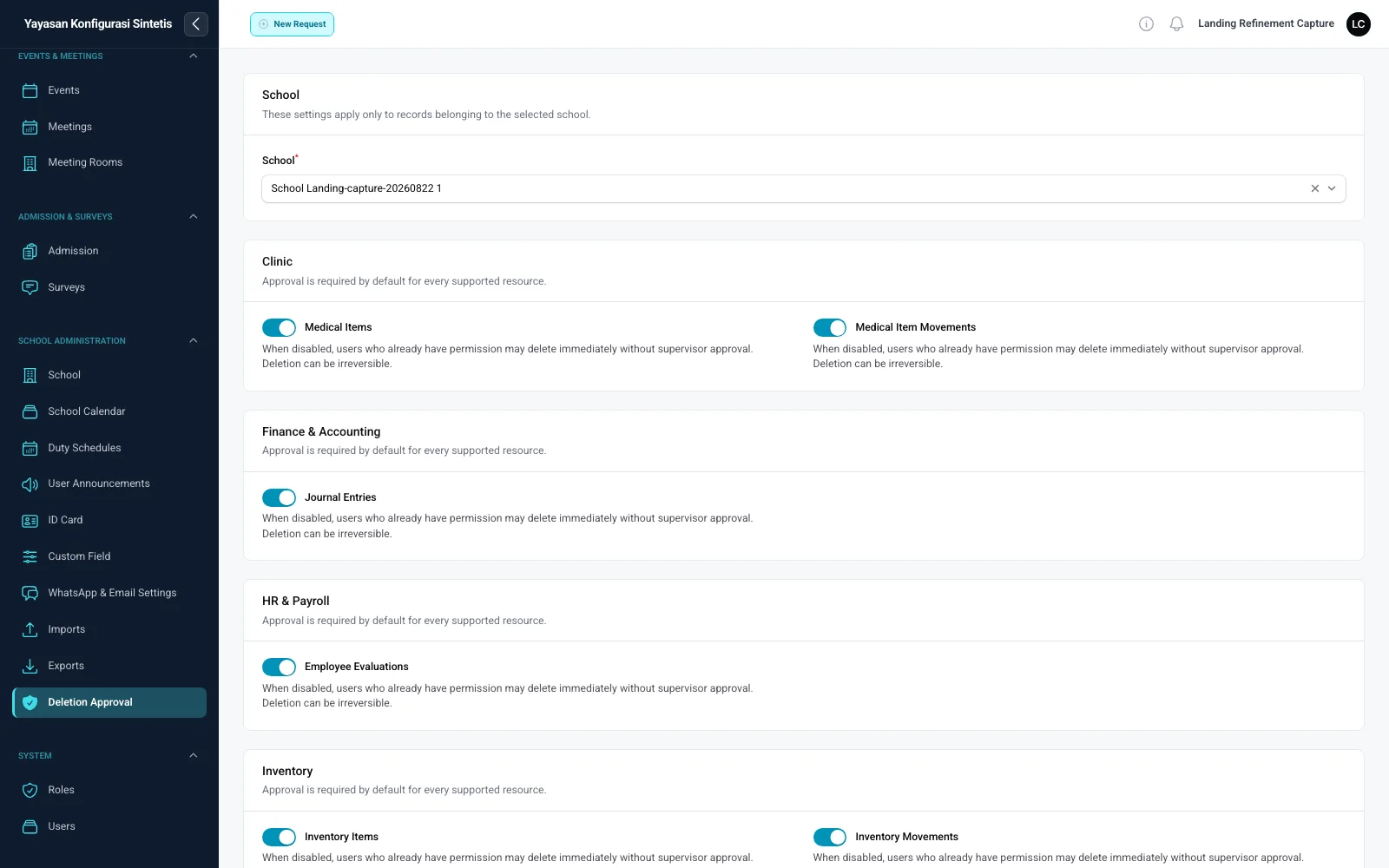
Schools configure approval for supported records; platform administrators review dependencies, retention, restoration, and permanent purge through the Recycle Bin.
Configuration supports existing variations. When new needs emerge, SatuSkola’s modular architecture allows additional capabilities to be developed without replacing the system already in place.
Roles and permissions
The roles below are common examples, not system limits. Administrators can combine access by workspace, record ownership, actions, and the schools within each user’s authority.
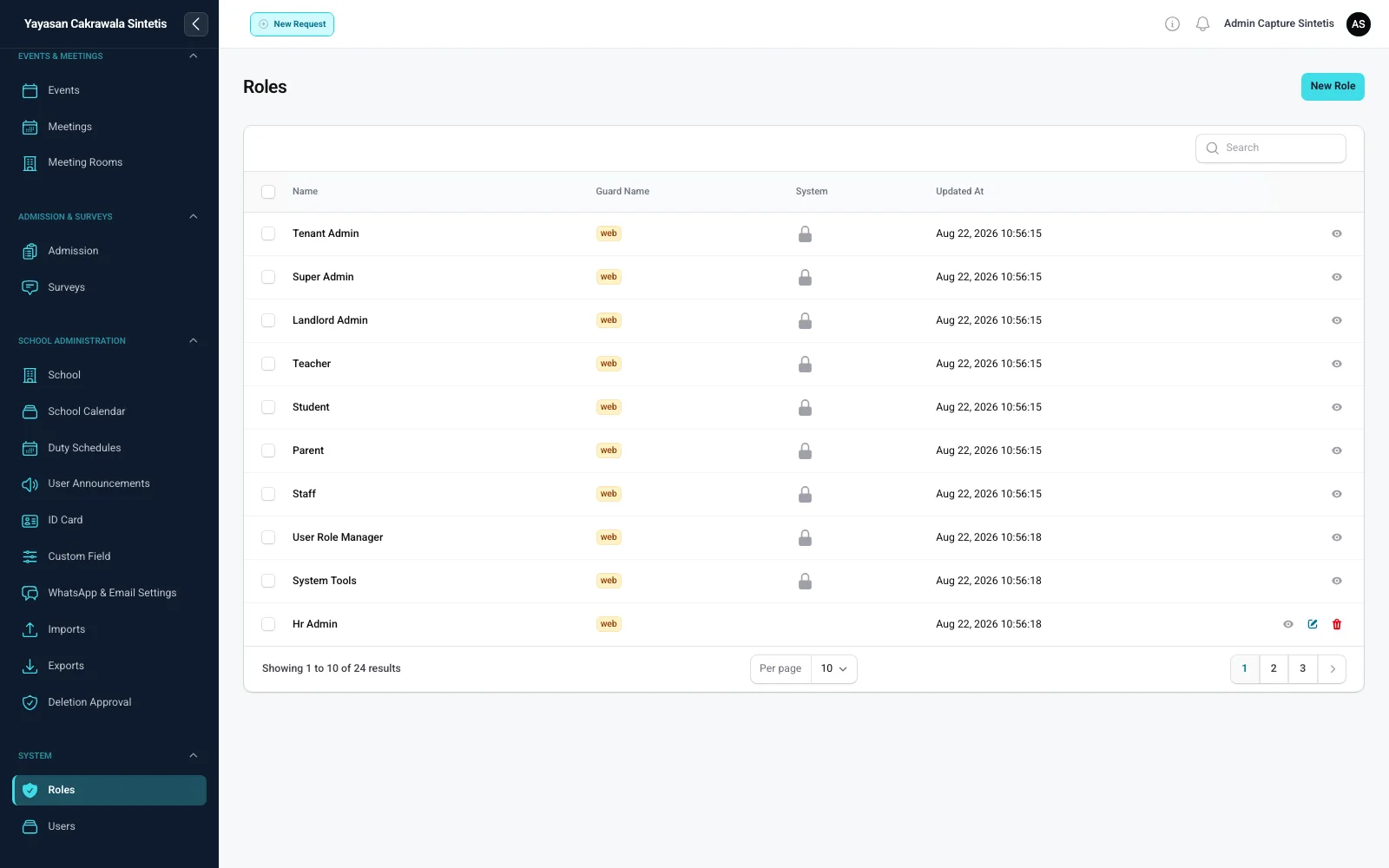
Practical governance
Each foundation’s data is kept separate. Within a foundation, school scope, roles, assignments, permissions, and the Recycle Bin lifecycle help keep user responsibilities clear.
Explore SatuSkola
Explore SatuSkola’s main workspaces, grouped around how schools operate.
Curriculum settings, planning, Worksheet Builder, and assessments connected to teachers’ daily work.
Student records from admission through family access.
Employee records, performance development, and compensation in one context.
Traceable student billing and accounting.
Daily school services share context with core records.
Activities, multi-channel communication, and alumni engagement.
Control over schools, access, data lifecycle, recovery, and document outputs.
Curriculum settings, planning, Worksheet Builder, and assessments connected to teachers’ daily work.
Student records from admission through family access.
Employee records, performance development, and compensation in one context.
Traceable student billing and accounting.
Daily school services share context with core records.
Activities, multi-channel communication, and alumni engagement.
Control over schools, access, data lifecycle, recovery, and document outputs.
Built to grow
As student numbers, users, records, modules, schools, and reporting needs grow, SatuSkola helps institutions stay organised without rebuilding systems or adding unnecessary administrative work.
Begin with the modules needed most, such as academics and student records, then add many other modules gradually.
Expand into HR, finance, services, administration, operations, and other school needs.
Add schools and users while preserving each school’s identity, settings, and data scope.
Investment shaped around your needs
We begin by understanding the needs of your school or foundation. The investment discussion considers your operational goals, implementation readiness, and the modules you genuinely need—not a fixed package.
See the whole value
Disconnected spreadsheets, repeated data entry, delayed reports, and information that depends on one person all carry a cost. SatuSkola helps turn that burden into connected, visible, and reusable workflows.
The same information can support connected workflows, reducing repeated copying and reassembly across departments.
Routine work becomes lighter, allowing time and capacity to move toward review, service, and higher-value decisions.
More centralised records reduce time spent waiting for files, combining spreadsheets, and manually assembling information.
Within their authority, leaders can review school information remotely, supervise faster, and rely less on verbal updates or paper records.
Investment perspective: SatuSkola’s value goes beyond the features used today. It also comes from lower administrative burden, better coordination, faster access to information, and the ability to grow while retaining clear control.
Begin with priority needs and add other modules when the institution is ready.
Approximate student numbers help determine the appropriate service scope.
School count, onboarding needs, data readiness, and operating complexity are considered.
Trial availability, special pricing, and full sponsorship follow consultation, implementation readiness, and applicable programme terms.
Discuss your school’s needs
Tell us about your school or foundation’s current situation, priorities, and plans. We will help identify the most relevant modules and starting point.